

SeyID for parents and guardians
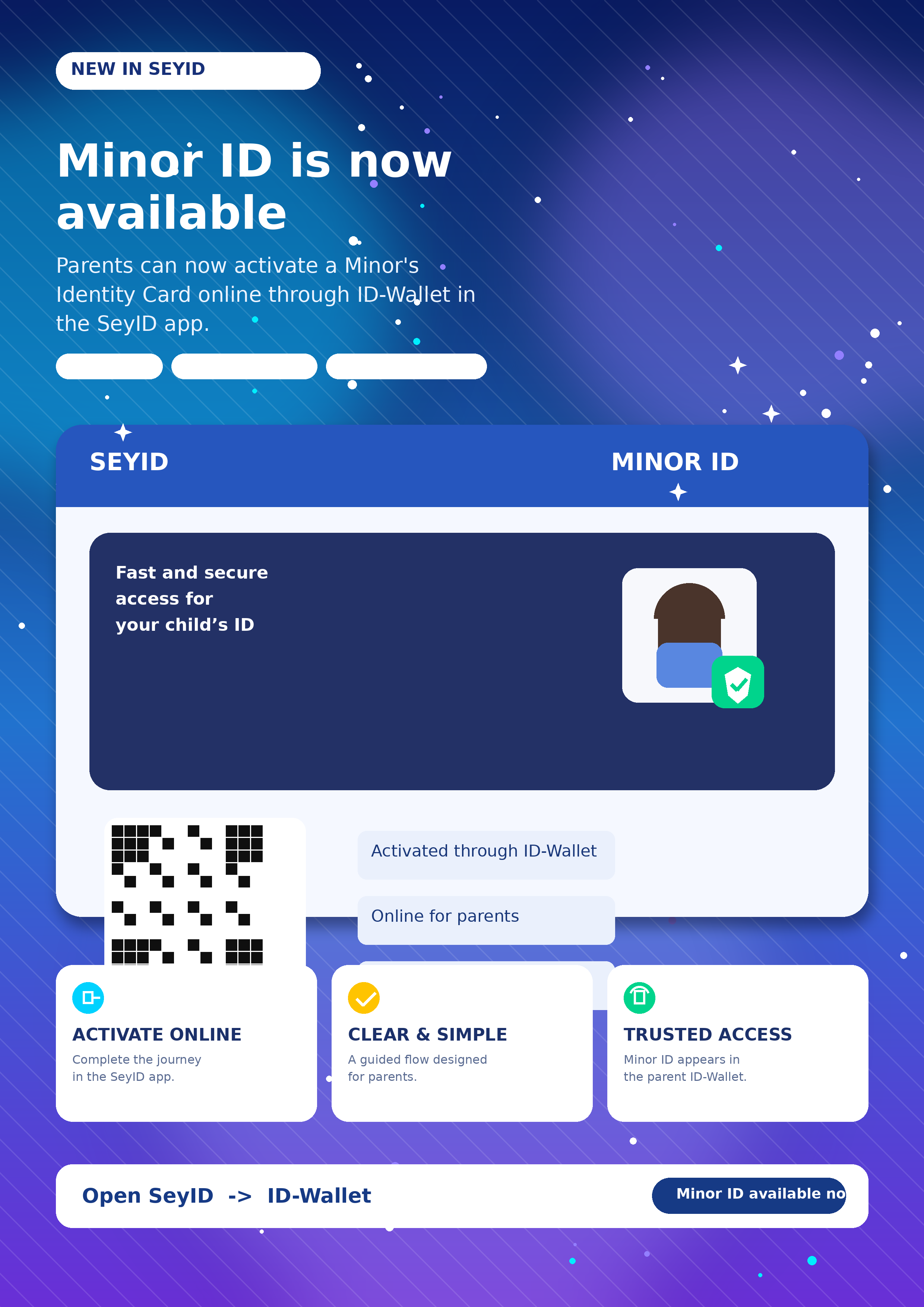
Minor ID makes your child’s digital identity simple, safe, and ready when needed.
A friendly way for parents and guardians to activate, view, and present a child’s virtual identity card through SeyID ID-Wallet. Clear steps, helpful guidance, and a digital card families can access with confidence.
Parent-friendly
Secure by design
Inside SeyID
Easy to activate
QR ready
Made for families
One wallet, more family convenience
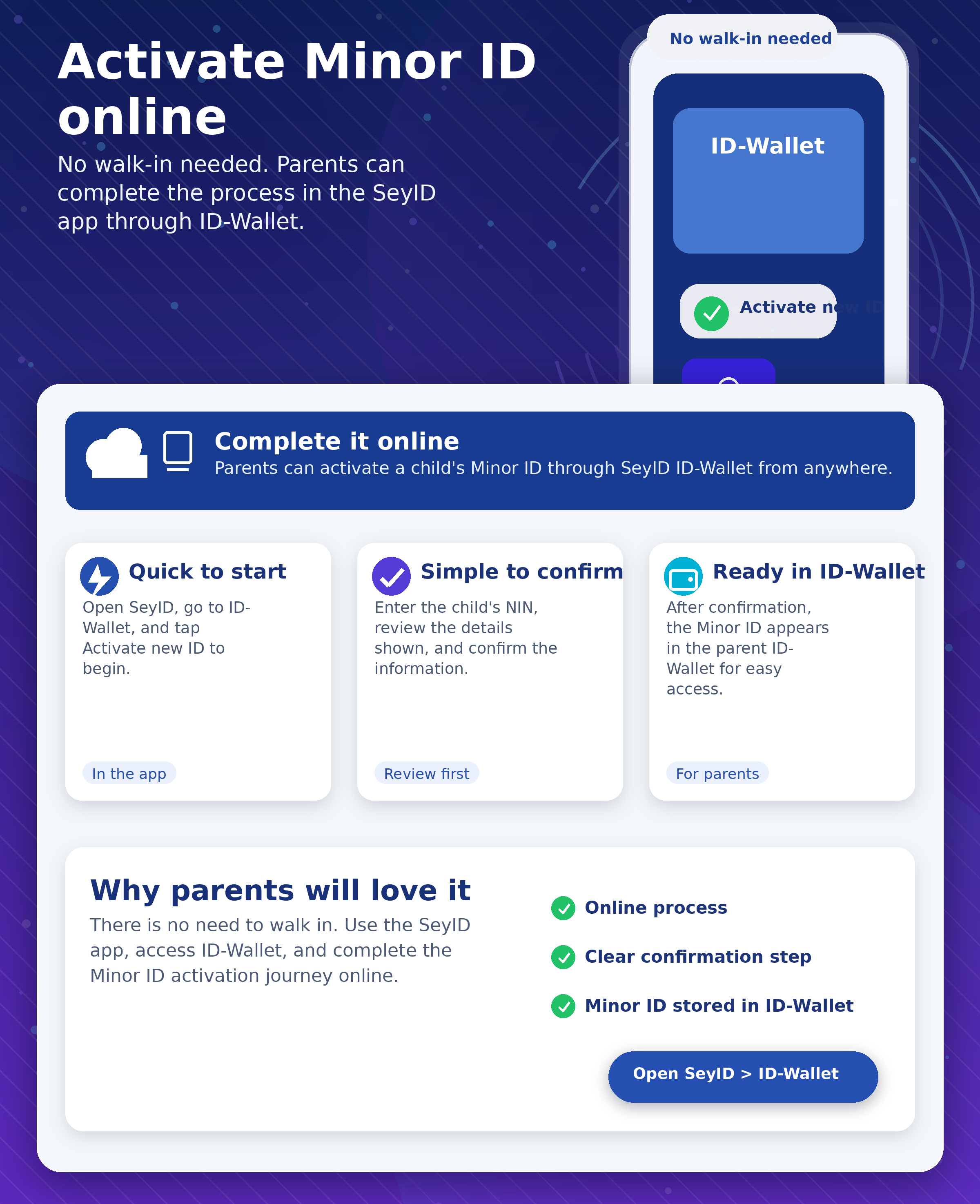
Parents can manage a child’s Minor ID from the same digital wallet experience they already use.
A journey that feels guided
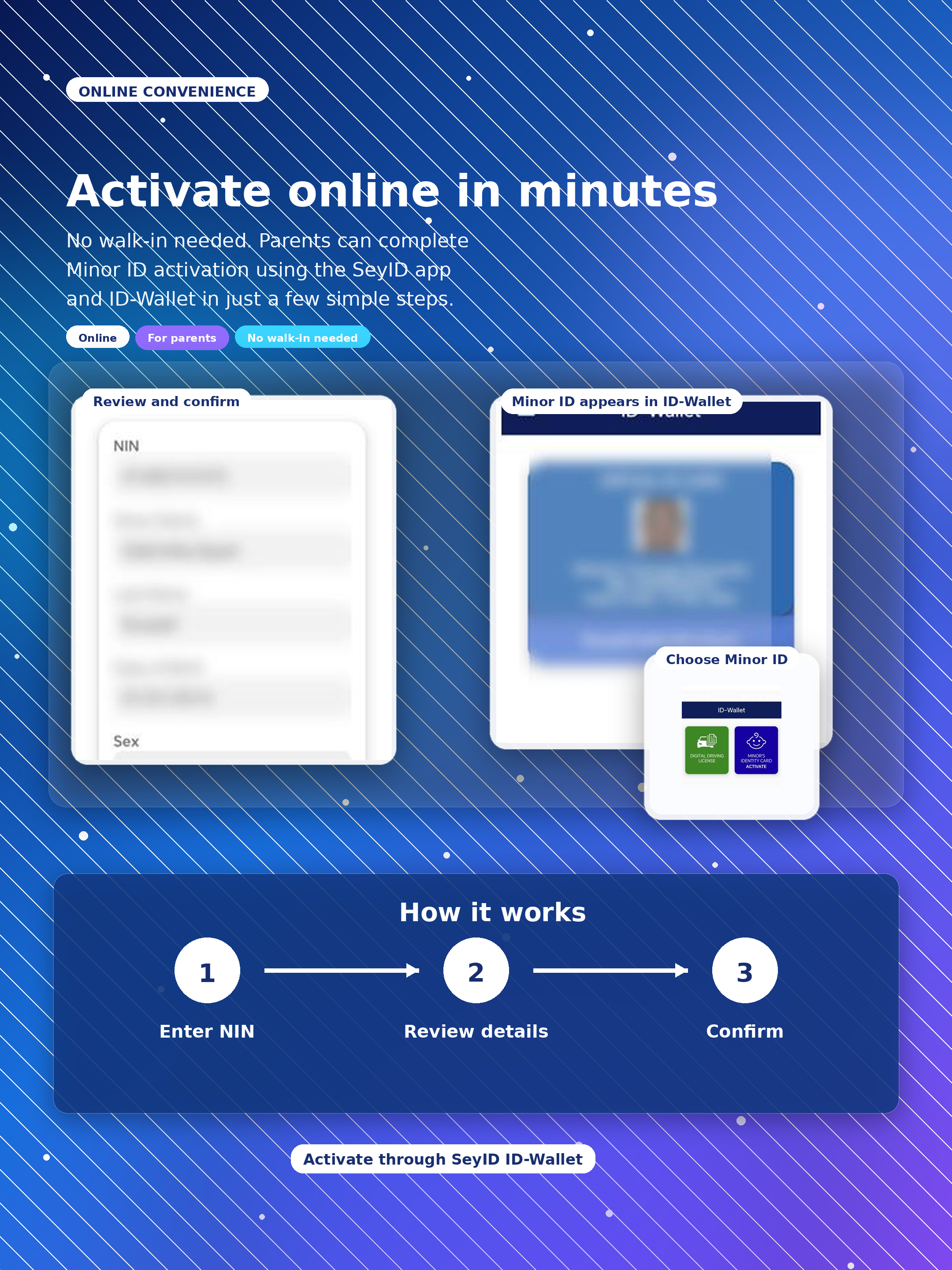
The process is shown step by step, so parents know exactly where to tap and what happens next.
Clear privacy reassurance
Personal details in screenshots are hidden on this page, while the live app shows authorised users the correct information.
Why Minor ID matters
A small digital card that solves real family moments.
Parents do not want a complicated technical process when handling their child’s identity. Minor ID turns the experience into something clear, visual, and reassuring: open ID-Wallet, activate the child’s card, confirm the details, and access the virtual ID when it is needed.
Useful for parents and guardians who need quick access to a child’s identity details.
Presented through a simple digital journey instead of a confusing form-heavy process.
Designed to feel warm and approachable while still respecting privacy and security.
Online convenience for busy families
Made for parents
Interactive guide
Explore the Minor ID journey step by step.
Tap through each step like a guided walkthrough. Parents can see the process before they start, making the journey feel clearer and more reassuring.
Guided from start to finish
No guessing. No confusion. Just a clear parent-friendly journey.
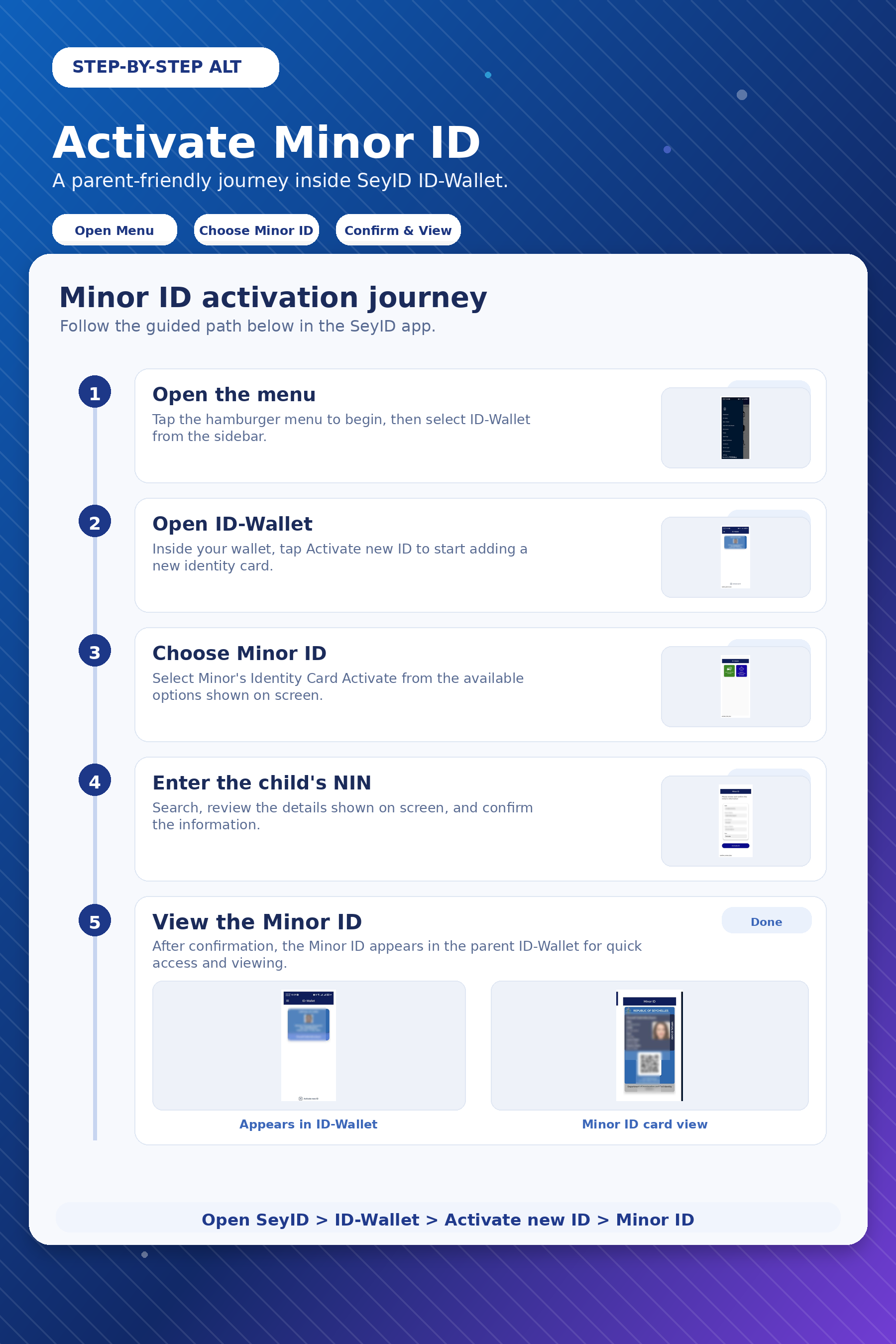
The Minor ID process is designed to show parents what to do, where to tap, and what happens next.
Tap a step
Parent guided


Step 1
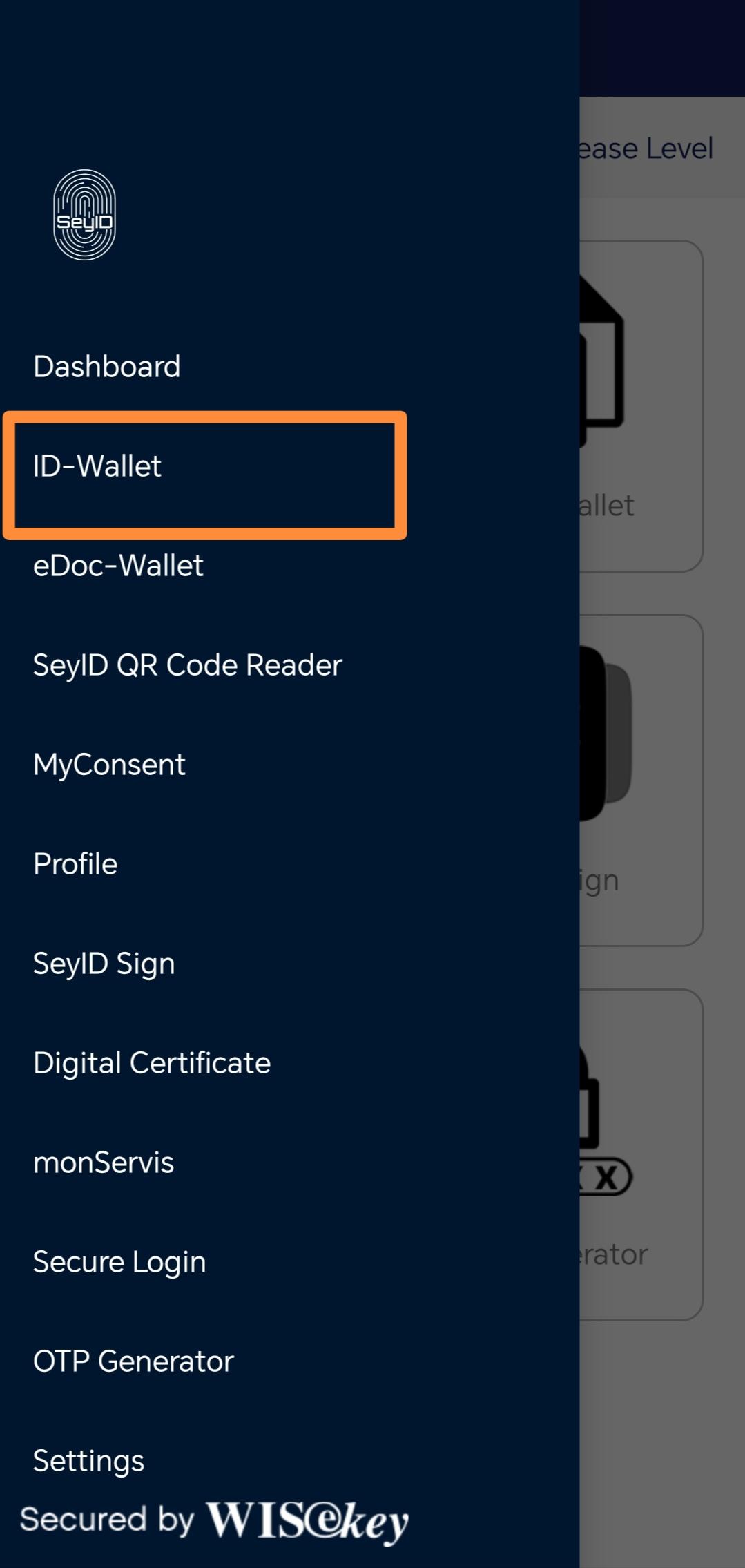
Open ID-Wallet from the menu
From the SeyID dashboard or side menu, select ID-Wallet. This is where the parent’s digital ID and related identity cards are managed.
Parent-friendly tip: ID-Wallet is the starting point for the whole Minor ID journey.
Step 2
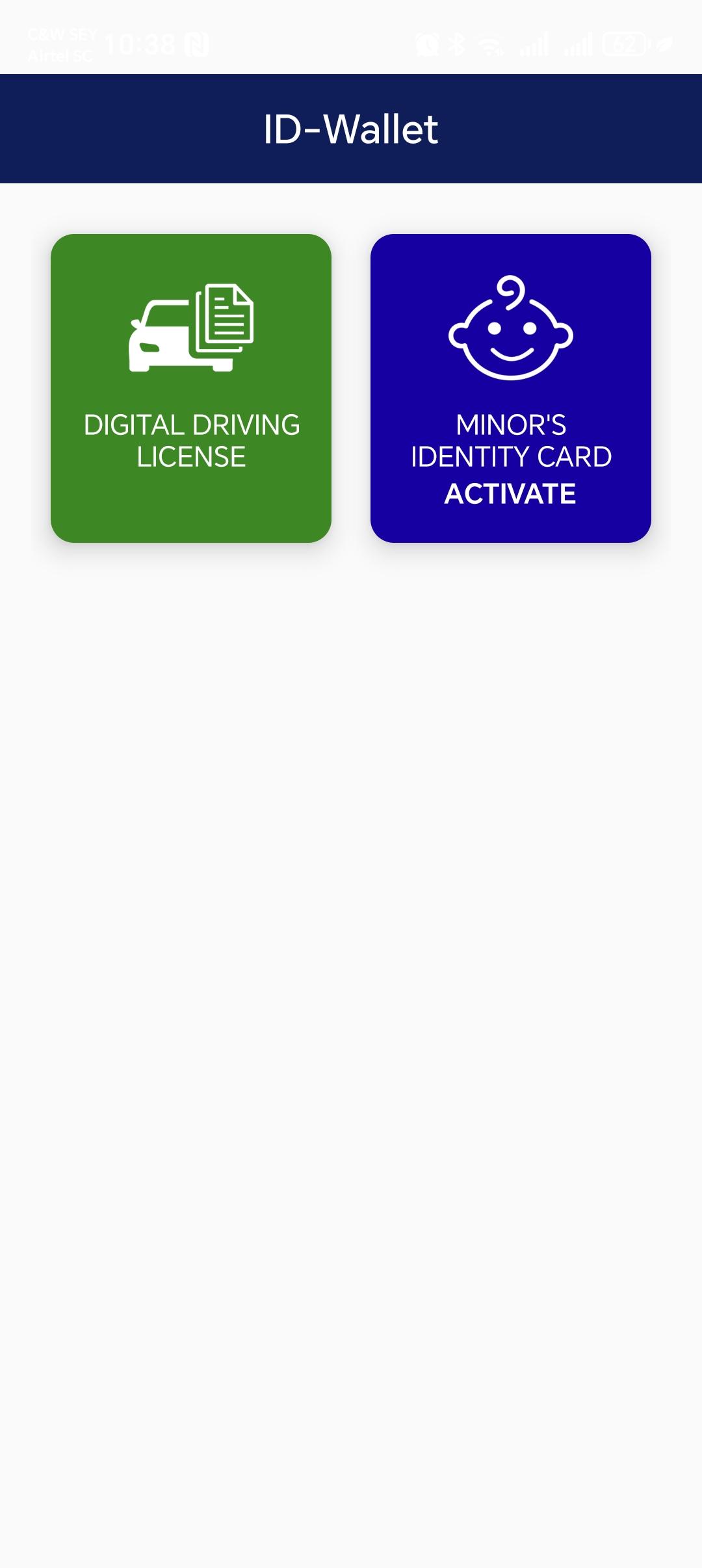
Tap “Activate new ID”
Inside ID-Wallet, choose Activate new ID. This starts the process for adding another identity card into the wallet.
This makes the process feel clear because parents can see exactly where to begin.
Step 3
Select “Minor’s Identity Card Activate”
Choose Minor’s Identity Card Activate to continue with the child’s digital identity card activation.
The journey now becomes specific to the child’s Minor ID instead of a general wallet action.
Step 4
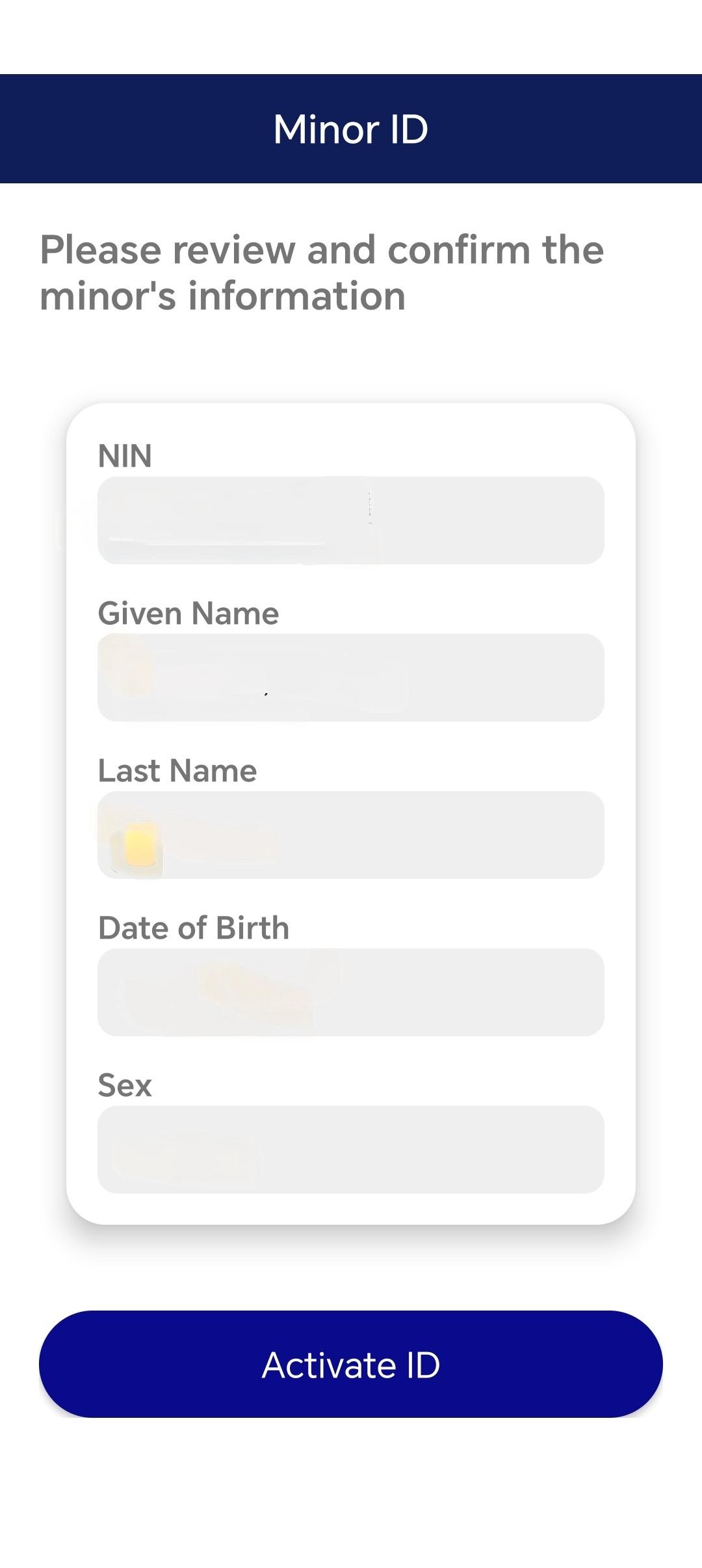
Confirm the child’s details and activate
Review the child’s details carefully. When everything is correct, select Activate ID to complete the activation.
Some personal details are hidden in this guide because the screenshots were taken from a real application flow.
Step 5
See the child’s card in ID-Wallet
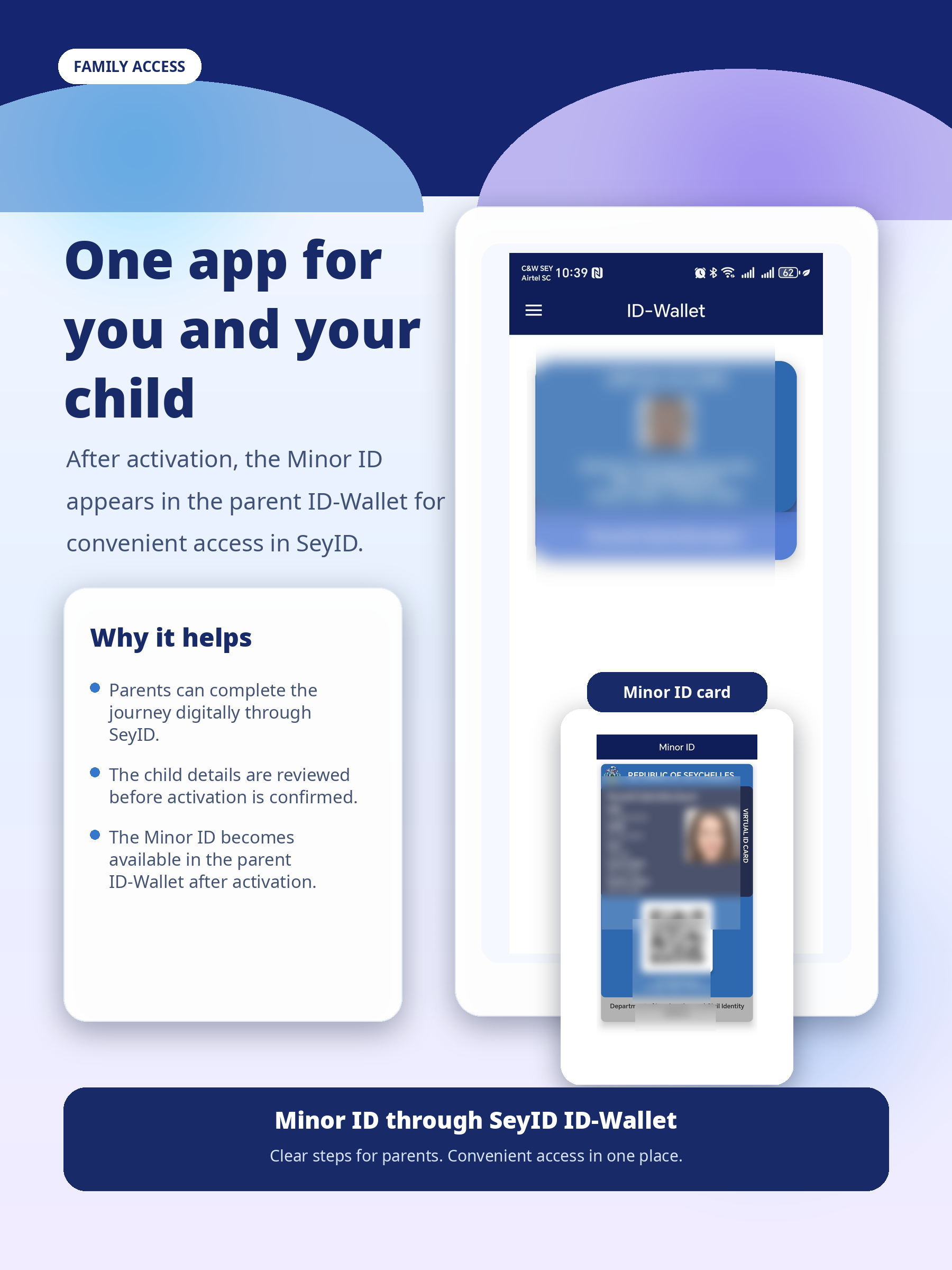
After activation, the child’s Minor ID appears inside ID-Wallet alongside the parent’s virtual ID.
In the live app, the child’s name appears normally for the authorised parent or guardian.
Step 6
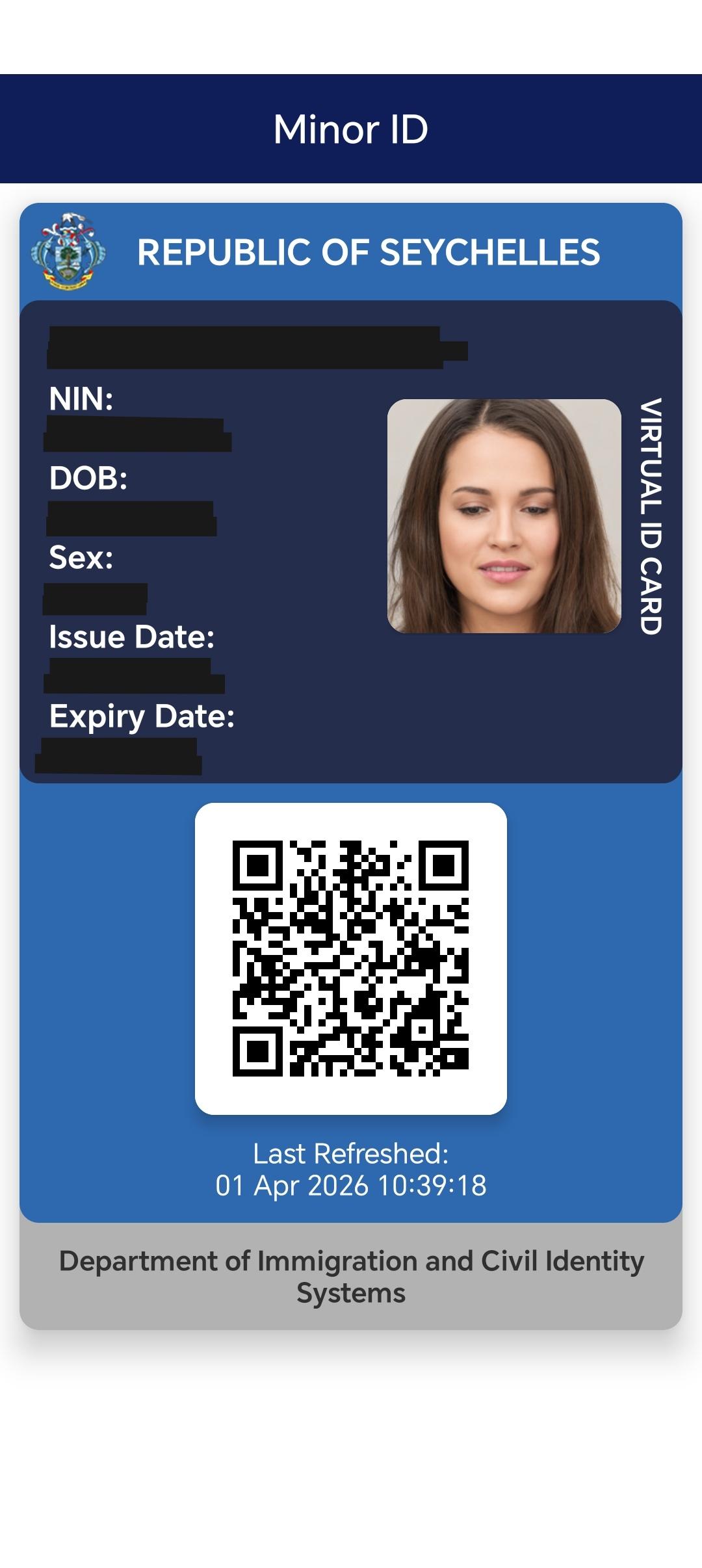
Open the virtual ID and use the QR code when needed
Tap the child’s card to open the full virtual Minor ID. The QR code can be scanned when the child’s identity information needs to be presented.
The final screen is the practical payoff: the child’s digital identity is ready when needed.
1
/
6
Why parents will appreciate it
Clear, convenient, and built for real family situations.
Family-first experience
The language, layout, and visual journey are designed for everyday parents, not technical users.
Digital access
Parents can access the child’s virtual ID from ID-Wallet once the activation is complete.
Reassuring and secure
The page keeps a warm tone while still reminding users that privacy and secure access matter.
QR presentation
The child’s virtual ID includes a QR code for quick presentation when the information needs to be shared.
Privacy note
Why some information is hidden in the screenshots
The step-by-step images come from a real application flow. Names, identity numbers, dates, and other personal details have been intentionally blurred or blocked out for privacy and security. In the live application, authorised parents and guardians will see the correct information normally.
Parent questions
Helpful answers before getting started.
What is Minor ID?
Minor ID is a child-focused digital identity feature available through SeyID ID-Wallet. It helps parents and guardians activate and access a child’s virtual identity card.
Where do I activate Minor ID?
Minor ID is activated inside SeyID ID-Wallet by selecting “Activate new ID” and then choosing the Minor’s Identity Card activation option.
Why are the screenshots blurred?
Some screenshots were captured from a real flow. Personal details were hidden on this page to protect privacy and avoid displaying live user information.
How is the child’s information presented?
Once activated, the child’s virtual ID can be opened from ID-Wallet. The virtual card includes a QR code that can be scanned when the child’s identity information needs to be presented.
Ready when your family needs it
Activate Minor ID from SeyID ID-Wallet.
A modern, parent-friendly digital identity journey — simple enough to follow, secure enough to trust, and practical enough for real life.